
How Accounting Teams Are Using n8n to Automate Their Workflows — Real Examples, Real Results, and a Few Caveats
Automation has quietly become one of the biggest time savers in accounting. With tighter deadlines and clients expecting faster turnaround, many firms are looking for ways to cut down on repetitive work without compromising accuracy. One tool that is gaining traction lately is n8n — a flexible automation platform that lets you build your own workflows without needing to be a full on developer. N8n is especially popular in North America (USA), Europe (Germany, UK), India and Middle East (United Arab Emirates).
1/12/20262 min read

Q1: What is n8n, and why are accountants paying attention to it?
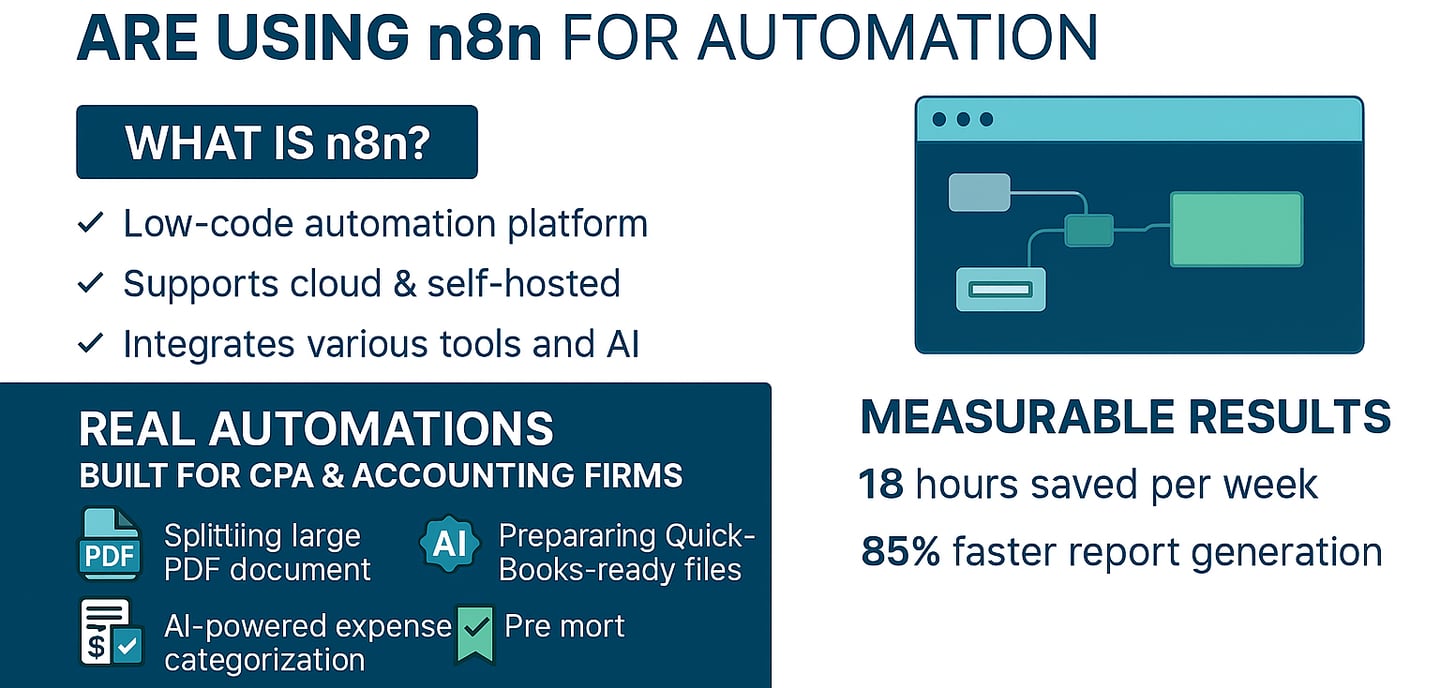
n8n is a low‑code automation tool that lets you connect apps, move data around, and build multi‑step workflows visually. You can run it in the cloud or host it yourself, which is a big plus for firms that want more control over sensitive financial information.
It’s already being used by CPA firms to streamline document handling, bookkeeping, reconciliations, and reporting — all the tasks that usually eat up hours.
Q2: What kinds of accounting workflows can n8n automate?
1. Breaking down large PDF document packs
Many firms receive one giant PDF full of invoices, bank statements, receipts, and supporting docs. Sorting and renaming everything manually are tedious.
With n8n, firms have built workflows that:
split the PDF into individual files
identify the type of document
extract key data using AI
rename files based on firm rules
fill a spreadsheet for review
prepare a QuickBooks‑ready file
This turns what used to be a long manual task into a hands‑off process.
2. Automated bookkeeping with AI
There are setups where n8n categorizes income and expenses, pulls data from receipts, uploads invoices to cloud storage, and updates transaction sheets — all automatically.
It’s not replacing the bookkeeper, but it removes a lot of the repetitive clicking.
3. End‑to‑end document processing for CPA firms
Some firms have gone further and automated:
document classification
OCR extraction
data validation
spreadsheet prep
exporting structured data into accounting software
These workflows have saved teams hundreds of hours over the course of a year.
Q3: What kind of results are firms seeing?
Here are some real numbers from Satva Solutions, a workflow automation provider that builds custom n8n automations for CPA and accounting firms, on teams using n8n in their accounting workflows:
around 18 hours saved each week
reports generated about 85% faster
roughly 72 extra billable hours per month
significant annual savings from reduced manual work
These aren’t hypothetical — they’re based on actual implementations.
Q4: What makes n8n appealing for accounting teams?
You can build fairly complex workflows without writing full code
It works with AI tools for document extraction and categorization
Self‑hosting gives firms more control over data privacy
It integrates with email, cloud storage, CRMs, databases, and accounting systems
It’s flexible enough to handle the messy, multi‑step processes that accountants deal with every day.
Q5: What are the limitations accountants should know about?
1. It’s not as plug‑and‑play as Zapier
Some workflows require API knowledge or light JavaScript. Non‑technical users may hit a wall.
2. Self‑hosting adds complexity
Running your own server means updates, maintenance, and monitoring.
3. Some integrations require manual setup
Not everything is prebuilt. You may need to configure API calls yourself.
4. Large workflows can get messy
Without naming conventions and documentation, things can become hard to maintain.
Final Thoughts
n8n isn’t a magic button, but it’s a powerful tool for accounting teams that want to reduce manual work and build more efficient processes. The firms that get the most out of it usually have at least one tech‑savvy team member or partner who can help set things up. Once the workflows are in place, the time savings can be substantial.
Automation isn’t replacing accountants — it’s clearing the repetitive work so teams can focus on analysis, advisory, and client relationships.